Failed Jobs
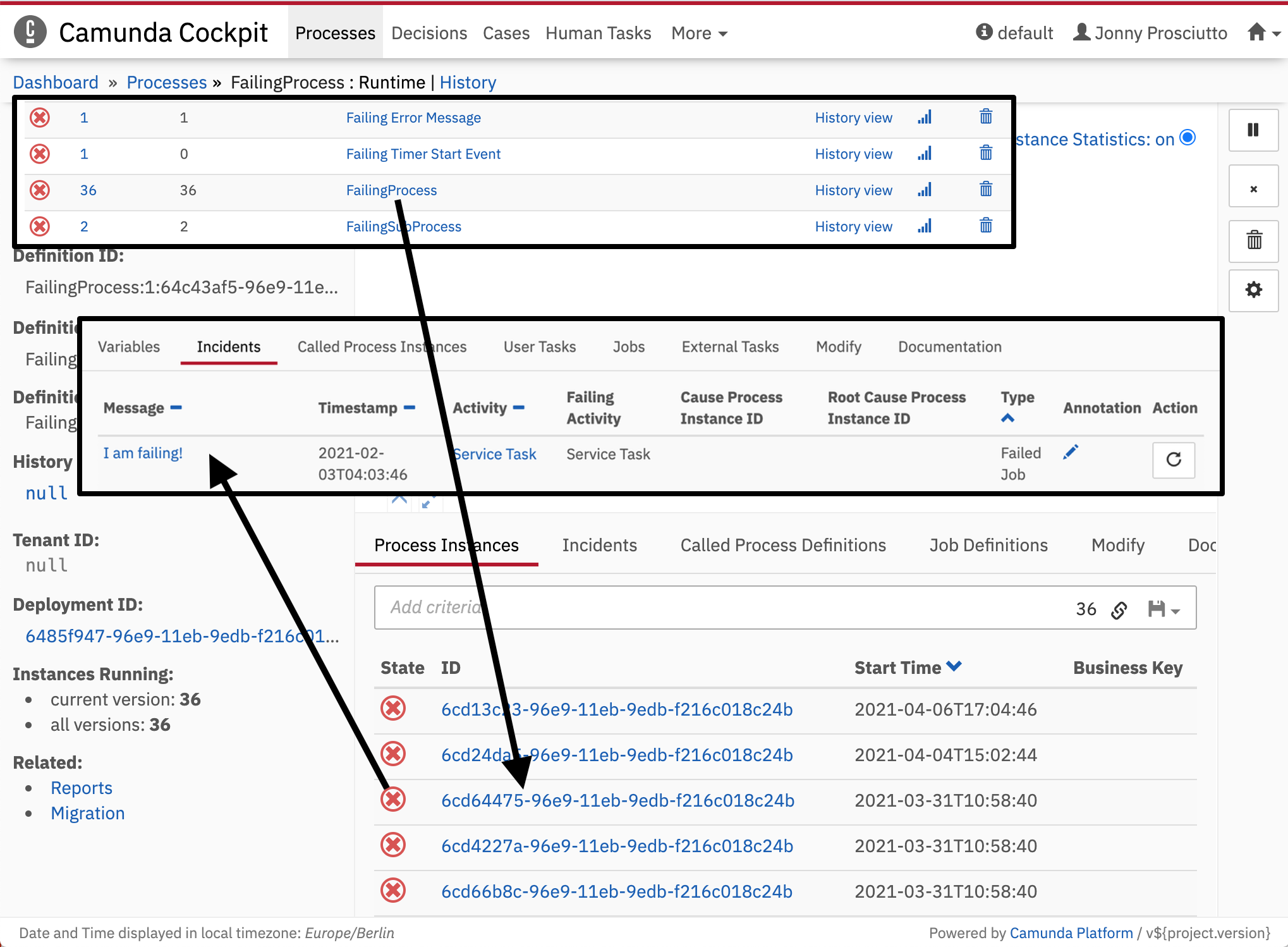 Failed Job Drill Down
Unresolved incidents of a process instance or subprocess instance are indicated by Cockpit as failed jobs. To locate which instance of a process failed, Cockpit lets you drill down to the unresolved incident by using the process status dots. Click a red status dot of the affected instance in the process definition view to get an overview of all incidents. The Incidents tab in the detailed information panel lists the failed activities with additional information. Furthermore, you can drill down to the failing subprocess instance.
Retry a Failed Job
On the process instance view, you can use the repeat button on the right side to resolve a failed job.
A modal dialog opens where you can:
- Choose whether the previous due date should be kept or set to an absolute date/time of your choice.
- Select the failed jobs to be retried.
After clicking Retry, the engine re-triggers the jobs and increments their retry values in the database so the job executor can acquire and execute the jobs again.
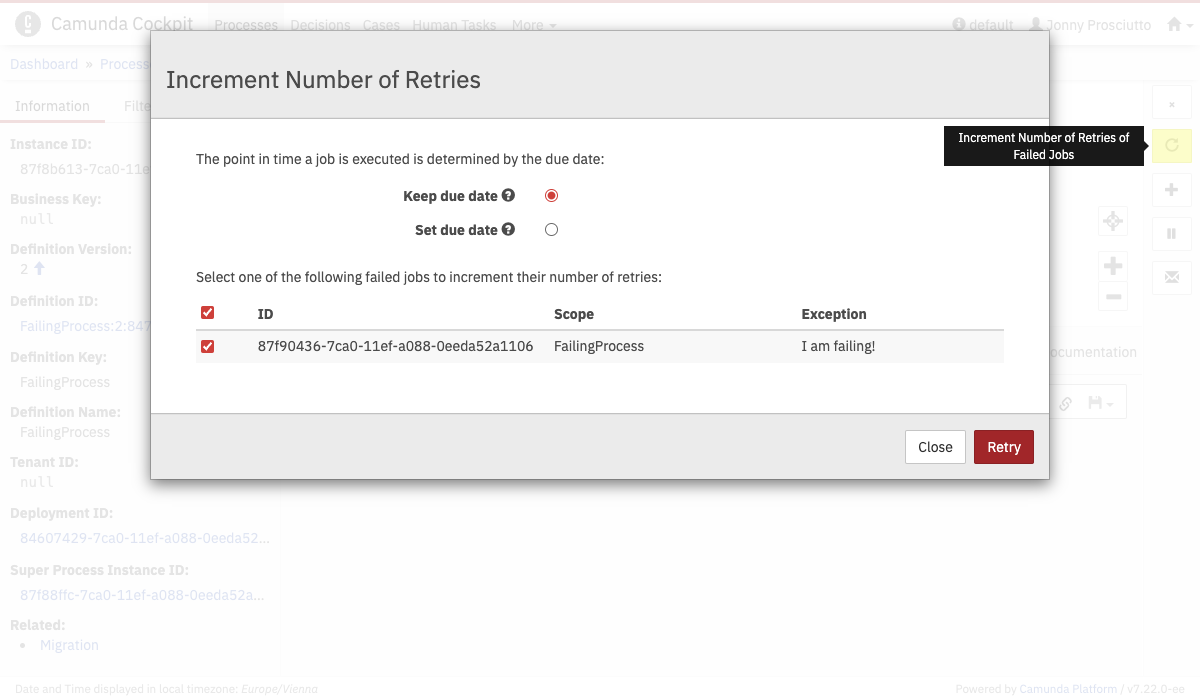 Process instance job retry
Alternatively, you can change the retries of jobs asynchronously via the Batch Operation "Set retries of jobs belonging to process instances".
Bulk Retry
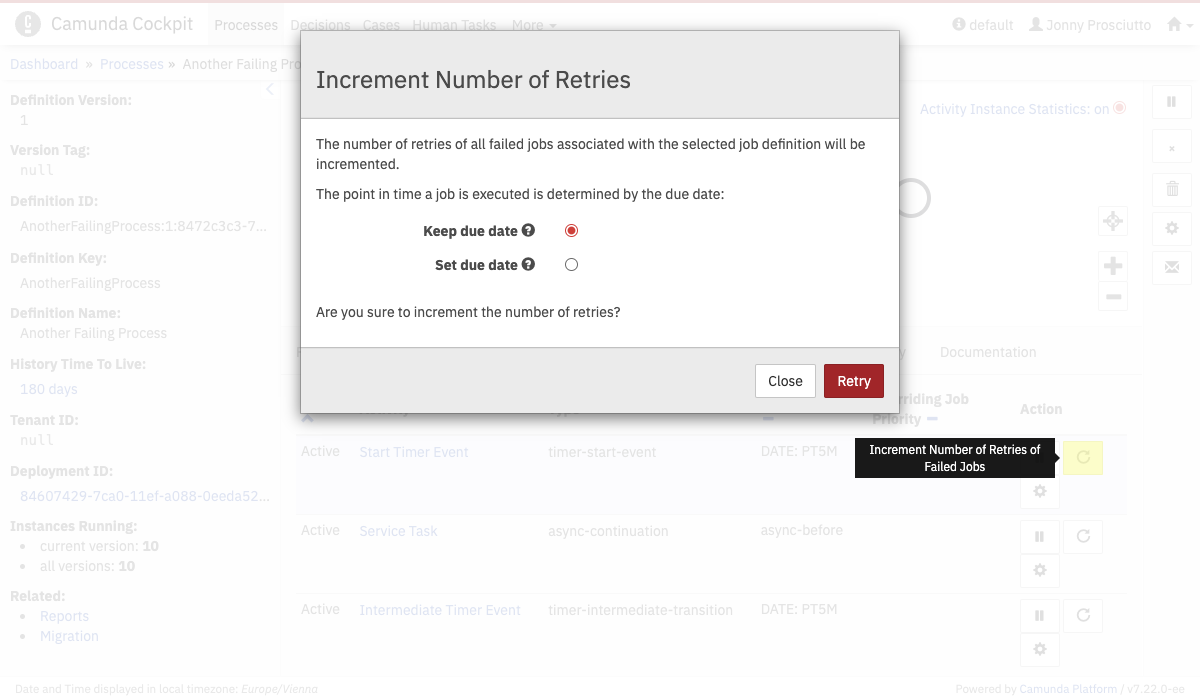 Batch Retry
You can also perform a synchronous bulk retry of failed jobs. This feature is available in the process definition view in the Job Definitions tab. If you click this button, you increment the number of retries for all defined jobs of the process definition.