Instance Restart
Instance Restart
In the history view, you can restart process instances individually or by a batch operation. A restart can consist of one or multiple of the following operations:
- Restart before an activity
- Restart after an activity, on its single outgoing sequence flow
Perform Restart
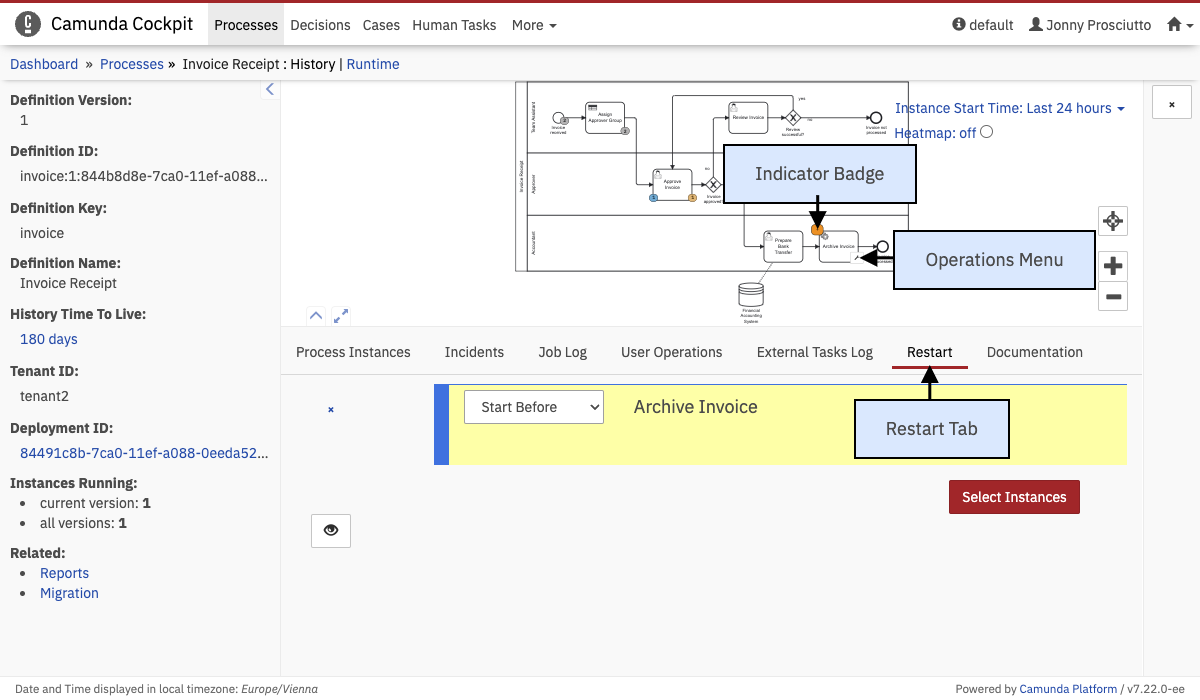 Process Instance Restart
A restart of a terminated process instance includes instructions that are displayed at the bottom of the screen after you have selected the restart tab in the history view (1).
To add an instruction, hover over an activity in the process diagram. Use the modification button (2) to select the instruction to be performed with this activity.
In the top-left corner of the activity, a badge will appear, indicating the restart (3).
At any point during the creation of the restart, click the eye button to show the request payload sent via the REST API.
Restart Instructions
When restarting a process instance, you have the option to start before or start after the activity. With start before, the activity is executed. Start after is only possible if there is only one sequence flow going out of the activity.
Instance selection
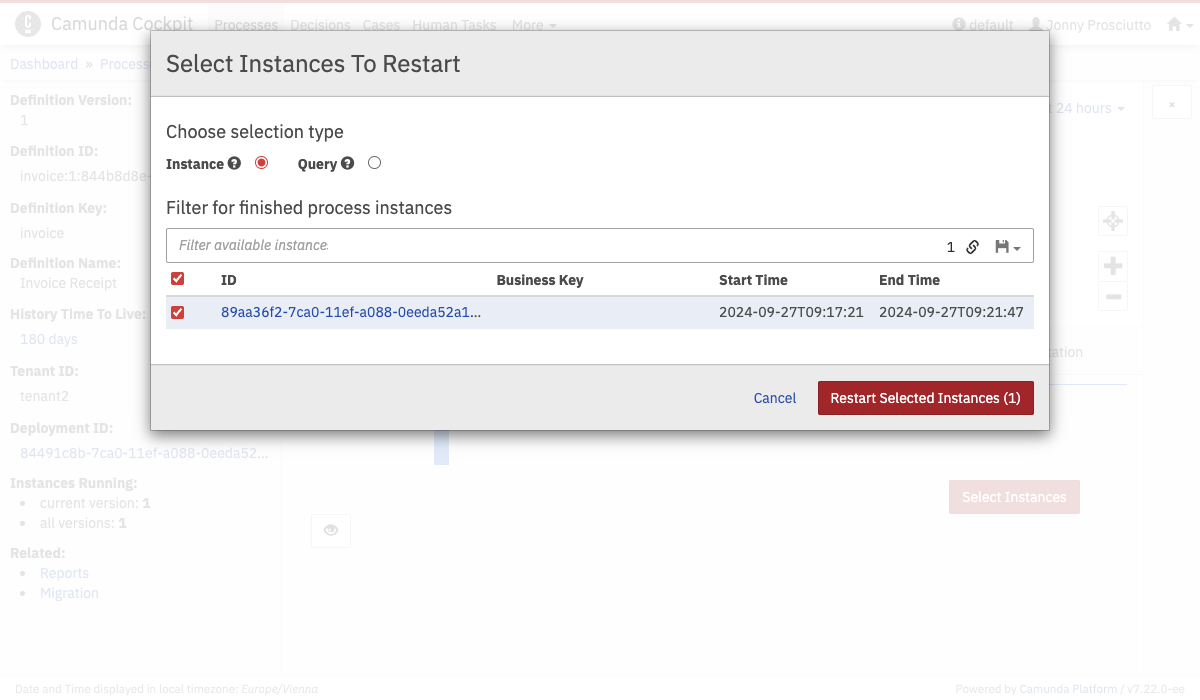 Instance Selection
When you click Select Instances, a modal opens. Initially, all instances are displayed. You can use the filter bar above the list of instances to filter the displayed instances. You can select specific instances or click the Query radio button to select all instances matching the filter.
Selecting all instances might create a high load on the database and application runtime/server if the query has a high number of results.
When you have made your selection, you can proceed by clicking the red button. This leads you to the Confirm Restart modal.
Confirm Restart
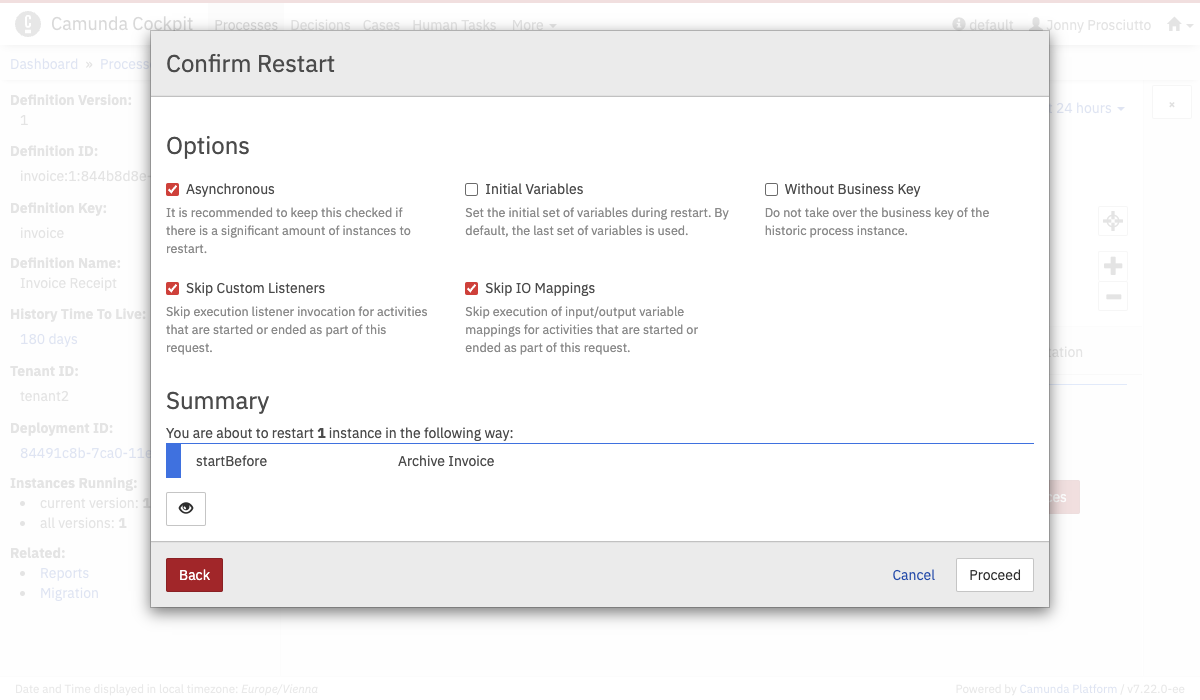 Confirm Restart
Here you see two sections. The option section lets you specify options related to the execution of the restart.
Asynchronous is recommended when you want to process a large number of instances. Otherwise, clearing the box lets you process the batch synchronously.
Initial Variables lets you set the initial set of variables. By default, it is the last set of variables used.
Without Business Key offers the option to avoid taking over the business key of the historic process instance to the new instance.
Skip Custom Listeners and Skip IO Mappings make it possible to skip invocations of execution and task listeners as well as input/output mappings for the transaction that performs the restart. This can be useful when the restart is executed on a system that has no access to the involved process application deployments and their contained classes.
The second section shows a summary of the operations and number of instances you specified before.