Dashboard
The Cockpit decisions dashboard is the entry point for decision monitoring. It comes with a pre-installed plugin that lets you see deployed decision definitions. Additional plugins can be added to the decisions dashboard.
Deployed Decisions
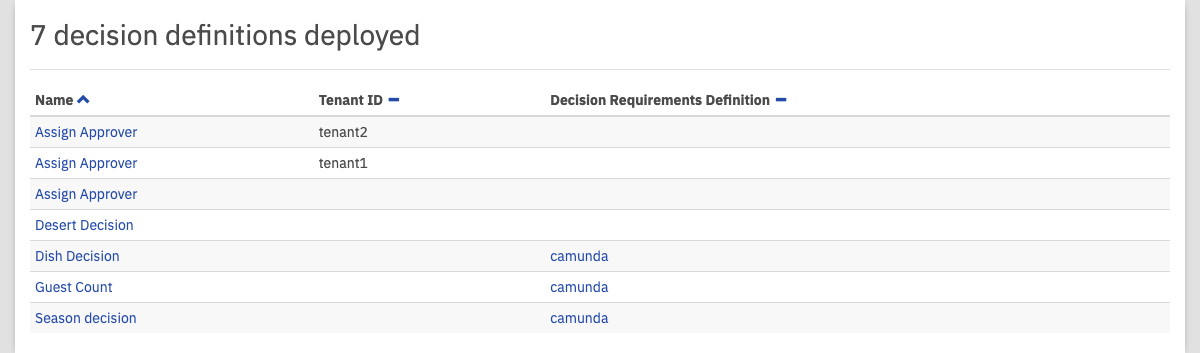 Deployed Decision Definitions
This plugin provides a list of deployed decision definitions. Click the name of a decision to go to the decision definition view and access more details, like the DMN table or executed decision instances view. You can also click the name of a decision requirements definition to go to the decision requirements definition view.
Deployed Decision Requirements Definitions
 Deployed Decision Requirements Definitions
This plugin provides a list of deployed decision requirements definitions. Click the name of a decision requirements definition to go to the decision requirements definition view and access more details, like the decision requirements definition diagram or executed decision requirements definition instances view.
Search
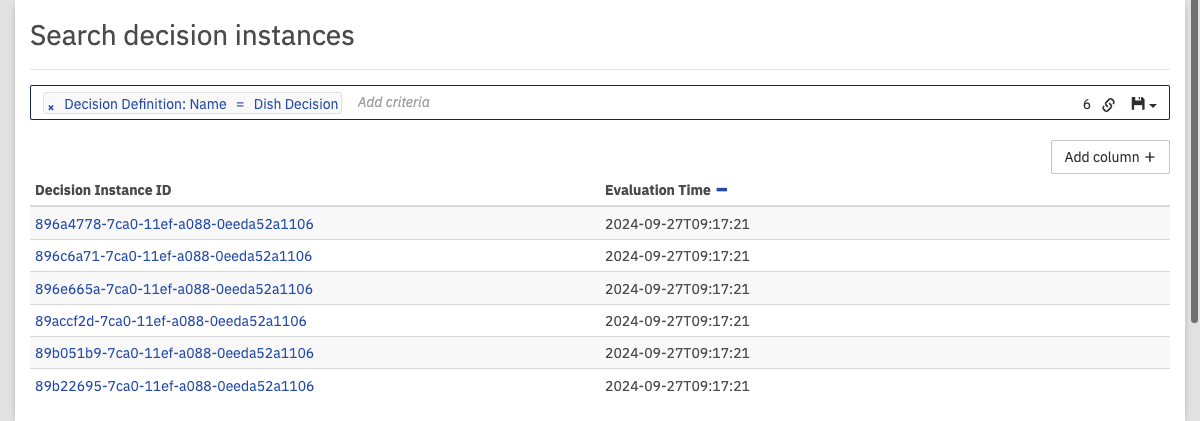 Decision Instance Search
At the top of the dashboard, you can search for decision instances that match certain search criteria. To do so, click in the search box and select the parameters to search for. You can also begin typing to find the required parameter faster. Depending on the selected property, you have to specify the value of the property. You can combine multiple search pills to narrow down the search results.
To add additional columns to the details of the search results, click the 'Add column' button and select the desired details in the drop-down menu that appears.
Furthermore, you can copy a link to the current search query to your clipboard by clicking the button and you can save search queries to your local browser storage by clicking the button and entering a name in the drop-down menu that appears. You can then retrieve the search query by clicking the button and selecting the chosen name in the drop-down menu.
The decision instance search operates on the history endpoint of the engine. In case the requested historic data is not persisted to the database, then the search does not deliver the desired results.