Decision Instance View
On the decision instance page, you find the table or literal expression of the executed decision as well as the values for the input variables and the decision result.
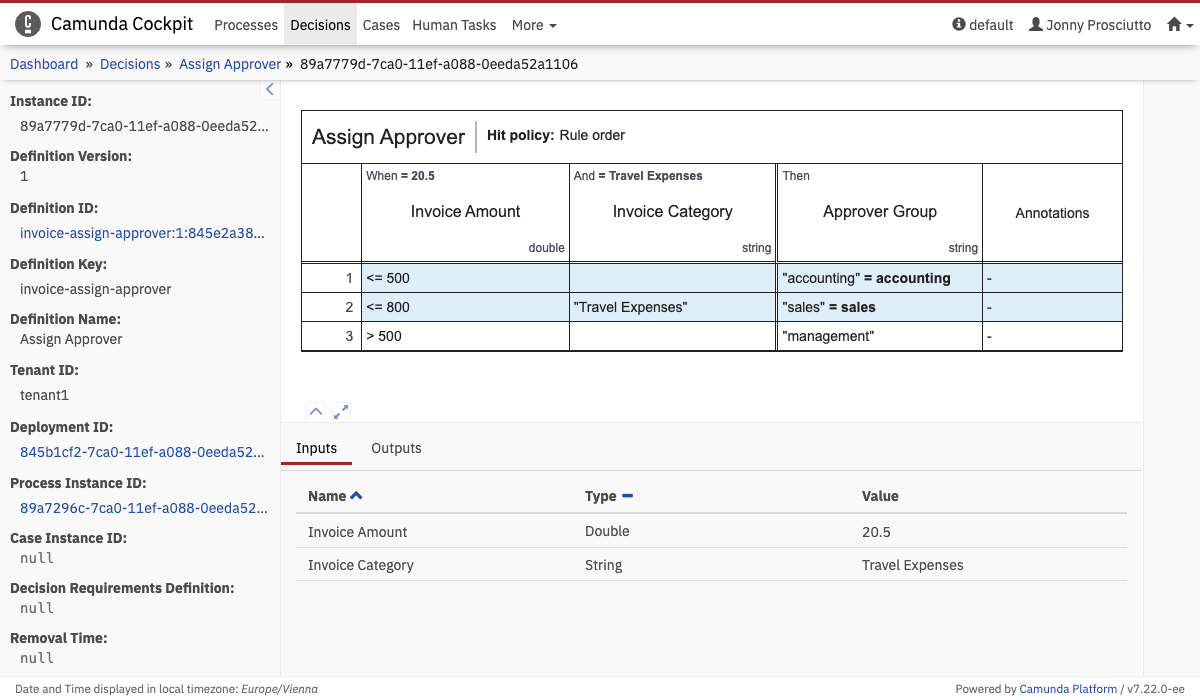 Decision Instance View
The input and output values for this decision instance are shown directly on the table in the corresponding cells as well as in the Inputs and Outputs tabs below the table. Complex variables like objects, files, and bytes are not displayed on the table. You have to use the Inputs and Outputs tabs to access the values of these variables.
Rules that matched during the execution of the decision table are highlighted.
Furthermore, you can maximize the table view or the detailed information panel by clicking the button or the button at the bottom left of the table view.